
Education
What's the Best Trading App for Someone Who Checks Positions Between Meetings?
If you trade in short bursts between meetings, the app that fits is one with exits you set in advance, alerts when they trigger, and markets that stay open on your schedule. Here is how Liquid on iOS and Android fits that pattern.

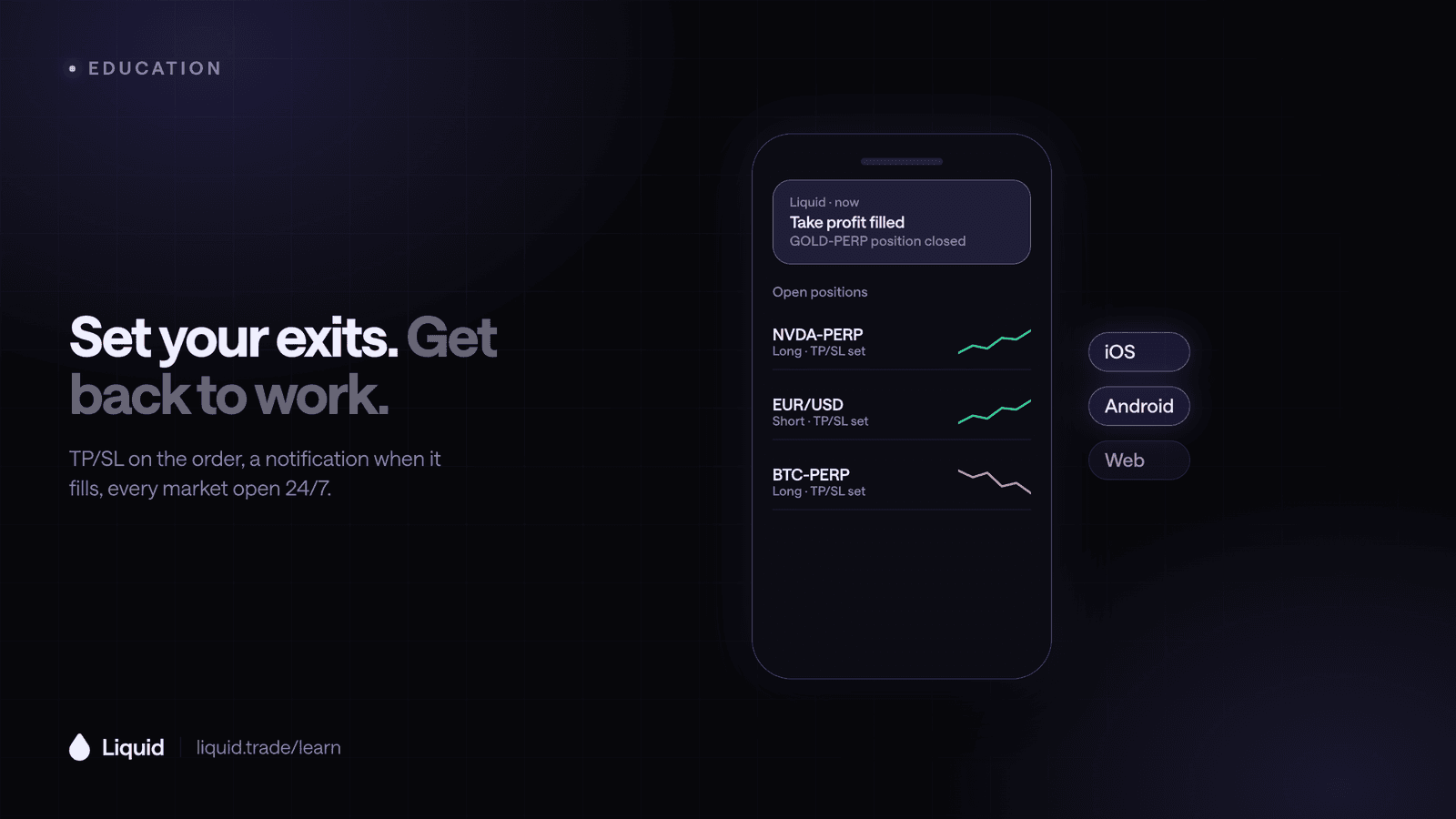
If you only look at your positions between meetings, the right app is the one that does the watching for you. That means take-profit and stop-loss orders you set once, a notification when an order fills or an exit triggers, and markets that are open whenever your break comes. Liquid's mobile app for iOS and Android is built around that pattern, and it uses the same account as the web app.
There is no single best app for everyone. Someone who trades a long-term portfolio once a month needs something different from someone who opens a leveraged position on a busy workday. The checklist below helps you judge any app against the way you actually trade.
What Should a Mobile Trading App Do for a Busy Trader?
What matters when you check in for a minute at a time
Scroll horizontally to compare
| Need | Why it matters | On Liquid |
|---|---|---|
| Exits set in advance | You can't react mid-meeting | Take-profit and stop-loss on the order ticket |
| Alerts that reach you | You learn about a fill without opening the app | Notifications when an order fills or a TP/SL triggers |
| Fast position check | A break may be two minutes | Portfolio view with open positions and P&L |
| Markets open on your schedule | Your free time may be evenings or weekends | Every market trades 24/7, including weekends |
| Same account everywhere | Start on desktop, check on phone | One account across web, iOS, and Android |
How to Set Up a Trade You Don't Have to Watch
The trick is to make every decision before you put your phone away.
- Choose the market and size at your desk. Liquid lists crypto, stock, commodity, index, and FX perpetuals in one market list.
- Pick a modest leverage. A position you can't monitor should have room to move. Leverage caps vary by market; check the leverage documentation.
- Set a take-profit and a stop-loss on the order. Read stop-loss mechanics for how triggers and slippage work.
- Leave notifications on. Liquid sends a notification when an order fills or a TP/SL triggers, so you find out without checking.
- Use a watchlist. Custom lists sync between the iOS and Android apps, so the markets you follow are there on any device.
Can I Trade Stocks After Work or on Weekends From My Phone?
Yes. Liquid's markets trade 24/7, including weekends, so a stock perp on Nvidia or an S&P 500 perp is open after the closing bell and on Saturday. These are derivatives that give you price exposure, not shares, and the price outside exchange hours can differ from the next opening price. The 24/7 stock trading guide explains the difference.
Is a Leverage Trading App Safe to Use on the Go?
The app is only as safe as the plan behind the trade. Leverage magnifies gains and losses, and a position you are not watching can be liquidated if the price moves far enough against it. Three habits help:
- Keep leverage well below the maximum for positions you hold during a busy day.
- Never open a position without a stop-loss if you can't watch it.
- Avoid holding through scheduled events, such as earnings or central bank decisions, unless that is the plan.
Liquid is non-custodial, which means you control the wallet that signs your trades and transfers. The security documentation explains how that works on each device.
How to Try It Without Risking Money
Paper trading gives you a $10,000 simulated balance to test the routine above. Turn it on under Settings, then Trading, and run a week of between-meeting check-ins before you commit capital. The paper trading guide shows the steps.
For a broader comparison of apps for new traders, read the beginner leverage trading app guide. To place your first trade, follow how to trade on Liquid.
Educational content only — not investment advice. Trading perpetual futures involves substantial risk and may not be suitable for every investor. Past performance is not indicative of future results.
Keep reading
All articles →
Education
How to Start Paper Trading on Liquid
Trade real markets with simulated funds. Learn how to turn on paper trading mode, which markets it covers, how to reset your practice balance, and where its limits are.
Education
How to Trade on Liquid
Place and manage your first trade on Liquid. Learn how to choose a market, read size and margin, set exit orders, confirm a fill, and close a position.
Education
How to Fund Your Liquid Account
A step-by-step on-ramping tutorial: add money with a card or bank transfer, move crypto from another app or wallet, and check when your funds are ready.
Put what you learned to work.
Trade crypto, stocks, commodities, FX, indices, and pre-IPO names — plus prediction markets. Prediction contracts are unleveraged; eligible perpetual markets offer multipliers of up to 50×.