
AI & Trading
Can You Use ChatGPT to Place Trades?
ChatGPT needs a connected trading service to turn a conversation into an order. Learn how Liquid Co-Invest works and what to check before confirming.

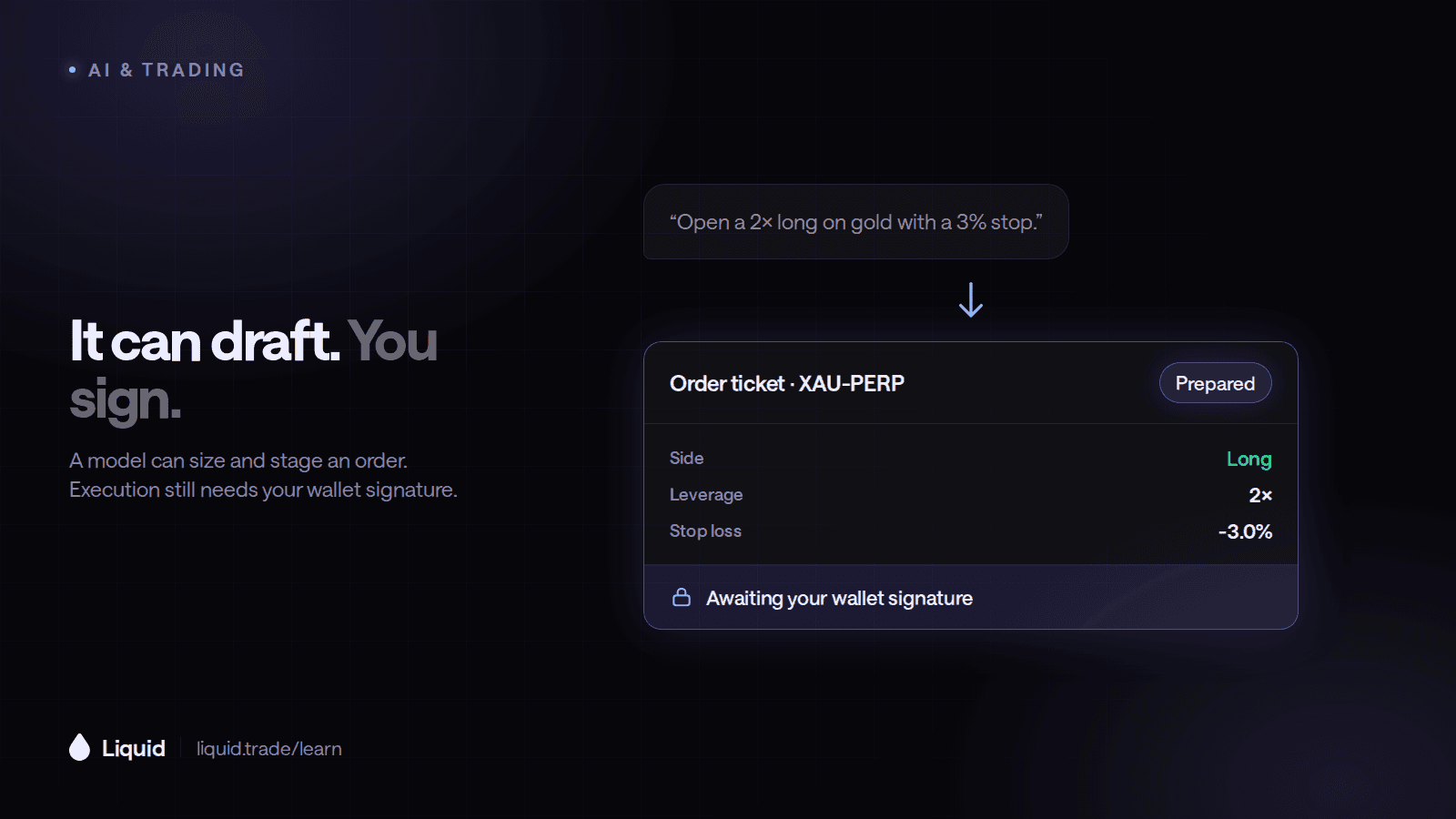
Yes, you can use ChatGPT as part of a trading workflow when it is connected to a supported trading service. A normal chat message does not, by itself, place an order. Liquid's Co-Invest connection brings market research and account context into the conversation, with an order review and confirmation step before a standard Co-Invest trade is submitted.
Liquid supplies the account, supported instruments, permissions, and execution. The assistant helps interpret your request and bring the relevant market context into the conversation. Together, they connect research, order preparation, and account review in one workflow.
Can I Use ChatGPT to Place Trades?
With Liquid Co-Invest connected, you can discuss a market and prepare a trade for review. Liquid documents its standard connector as requiring your confirmation and excluding withdrawals or transfers. Follow the order review flow presented by your connection, which may involve opening Liquid to complete the order. Co-Invest documentation.
Availability and permissions depend on your account and the connection you use. OpenAI's official connection documentation distinguishes connecting tools, authenticating access, and testing actions that need authorization. After connecting, check your account mode, supported markets, and trading setup so the next steps are clear.
A prepared order, a submitted order, and a filled order are different states. The order status and resulting position in your account show where you are in that sequence.
For the list of assistants Co-Invest supports and how it compares with other platforms, see which trading platforms connect to Claude or ChatGPT.
How Can I Most Easily Trade with AI?
For a first attempt, use a supported connection with paper trading and a review step. Pick one market you understand, ask for research, and rehearse one clearly specified order. You can learn the conversational workflow and the trading controls in the same session.
A simple first AI trading workflow
Connect the trading service
Start from Liquid's official Co-Invest page and sign in through the supported connection flow.Verify the account mode
Confirm whether the connected account is using simulated or real funds before asking for an order.Research one market
Ask for current data, source links, counterarguments, and the conditions that would invalidate the idea.Review the proposed order
Check the exact instrument, direction, exposure, margin, leverage, order type, and exits.Confirm and check the result
Complete the offered review flow, then verify the order status and any resulting position.
Liquid offers simulated trading for practicing this process. Use the beginner walkthrough and the current connection instructions for setup, since client menus and available actions can change.
What Should I Put in a Trading Prompt?
Separate research from the order request. “What do you think about BTC?” invites analysis; it does not define a trade. “Buy $500” is also ambiguous if the assistant does not know whether $500 means collateral or total market exposure.
A practice prompt can make the distinction explicit:
In paper mode, research the BTC perpetual market. Show the data timestamp and current funding. If the setup meets the conditions we discussed, prepare a long order with $500 total notional exposure at 2x leverage. Explain the required margin, fees, and planned exit. Wait for my review.
Those figures are an illustration, not a recommended trade. At 2x, $500 of notional requires roughly $250 of initial margin before fees and venue requirements. By contrast, $500 of margin at 2x creates roughly $1,000 of exposure. The wording changes the size by a factor of two.
Specify the exact market as well. A BTC perpetual, spot bitcoin, and a bitcoin-linked security are different products. The guide to what every market on Liquid is explains the exposure each instrument provides.
What Should I Check Before Confirming?
Review the proposed trade alongside your existing positions and available margin. Ask Co-Invest to summarize how the new position changes your overall exposure. For a limit order, confirm the price and how long you want the order to remain active.
Add your intended stop loss and take-profit levels where appropriate, and read how each order triggers. Setting the entry and exit plan together gives you a clear framework for reviewing the position later.
After submission, inspect the filled quantity and any remaining open order. You can then ask for a portfolio update to see the new position in context. If the result is still pending, check the order status before submitting another request.
Can ChatGPT Trade While I Am Away?
For ongoing agent monitoring and execution, Liquid offers Co-Invest Computer, a separate workflow from standard conversational Co-Invest. Its supported modes include simulation, staged orders, and live execution under enabled controls. A regular chat does not automatically create a continuously running strategy.
If you want unattended activity, read AI agent portfolio management first. Define the permitted markets, exposure, expiry, and stop conditions, and verify the actual controls before enabling live actions.
Try the Workflow on Liquid
Connect Co-Invest, confirm paper mode, and ask for a sourced review of one market. Practice preparing the order, reviewing its details, and following the result into your portfolio. That gives you a complete first run from a trading question to an account update.
Educational content only — not investment advice. Trading perpetual futures involves substantial risk and may not be suitable for every investor. Past performance is not indicative of future results.
Keep reading
All articles →AI & Trading
What Is the Best AI Agent for Trading Crypto?
Liquid Co-Invest is an AI agent for trading crypto from Claude, ChatGPT, Grok, or Meta Muse. It reads live funding and positioning, proposes trades you confirm, and can run a rule-bound strategy with Co-Invest Computer. Here is how to judge any crypto trading agent.
AI & Trading
What Is the Best AI Trading Platform?
The best AI trading platform depends on whether you want stock scans, chart automation, or an agent that trades your account. Here is an honest comparison of Liquid Co-Invest, Trade Ideas, TrendSpider, Webull, and chat assistants.
AI & Trading
Which Trading Platforms Connect to Claude or ChatGPT?
Liquid connects to Claude and ChatGPT through Co-Invest, a free connector that researches markets, reads your portfolio, and places trades you confirm. It also works in Grok, Meta Muse, and iMessage. Here is how it compares and how to install it.
Put what you learned to work.
Trade crypto, stocks, commodities, FX, indices, and pre-IPO names — plus prediction markets. Prediction contracts are unleveraged; eligible perpetual markets offer multipliers of up to 50×.