
AI & Trading
How to Let an AI Agent Help Manage Your Trading Portfolio
Define what an AI agent may research, propose, and execute. Compare user-confirmed Co-Invest with autonomous Co-Invest Computer and build clear risk limits.

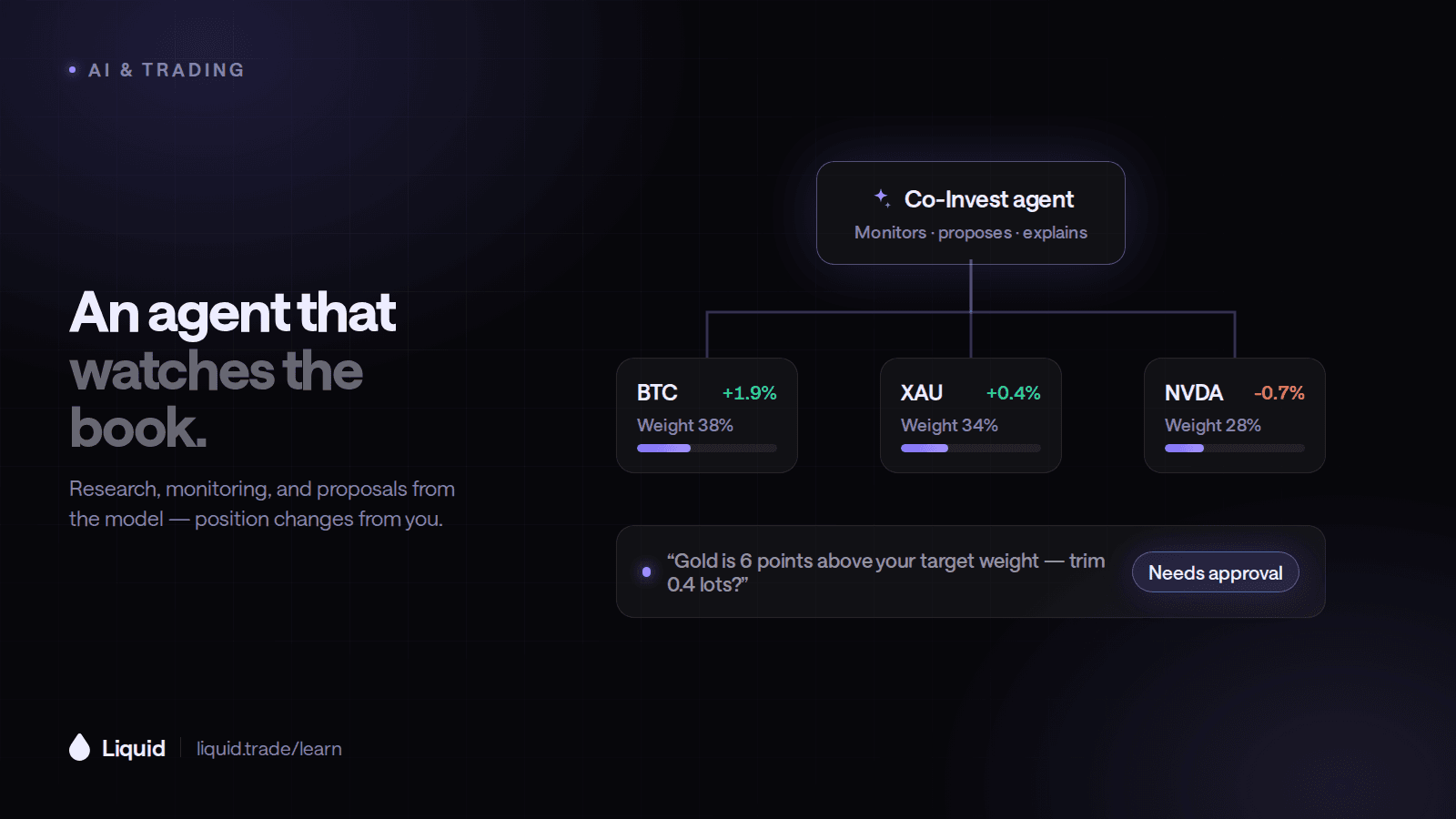
To let an AI agent help manage a trading portfolio, first decide what you are delegating: monitoring, research, trade proposals, or live execution. Define the account scope, strategy, and exposure limits, then use simulation to build a workflow you can review and repeat.
Liquid offers two relevant workflows. Standard Co-Invest supports research and user-confirmed trading. Co-Invest Computer supports agent workflows that can stage, simulate, or execute trades under enabled controls. Choose based on how actively you want to participate in each decision.
How Do I Let an AI Agent Manage My Portfolio?
Start with the trading account the agent can access. Co-Invest can use your Liquid positions and open orders as context for its analysis. If you want a broader review, provide the relevant holdings and objectives outside that account; those are not automatically part of its view.
Next, write a clear mandate. Name the assets to follow, maximum exposure, review frequency, and developments you want highlighted. Include the reason for the strategy and your intended holding period so each update answers a useful question.
For example, you could ask an agent to review existing BTC and ETH exposure, summarize upcoming catalysts, and propose changes for your review. A consistent daily format makes it easy to compare what changed and decide which ideas deserve a closer look.
Which Parts of Portfolio Management Can I Delegate?
Delegate one responsibility at a time
Scroll horizontally to compare
| Responsibility | Useful output | What you must verify |
|---|---|---|
| Monitoring | Positions, open orders, and risk changes | Data freshness and complete account coverage |
| Research | Evidence for and against a proposed adjustment | Sources, assumptions, and missing information |
| Planning | A proposed basket with exposure and estimated costs | Concentration and risk across the whole basket |
| Execution | Orders under an explicitly enabled mode | Enforced permissions, limits, and order outcomes |
An account-aware review should show combined exposure and the drivers shared by your positions. Ask the agent to group holdings by market theme as well as ticker. Five different assets can still respond to the same catalyst; seeing the connections helps you decide how a proposed basket fits your plan.
Use dollar notional alongside margin. Suppose an account has $1,000 of equity and an agent assigns $200 of collateral to each of three positions at 5x. That creates $3,000 of combined notional from $600 of assigned margin. A 4% move across all three corresponds to roughly $120 of price profit or loss before fees and funding. Showing both figures makes the proposed allocation easier to assess.
How Do Co-Invest and Co-Invest Computer Differ?
Liquid's standard Co-Invest documentation describes portfolio visibility and proposed allocation plans with user confirmation. The connector cannot withdraw or transfer funds. That makes it a starting point for reviewing ideas while retaining the decision to submit each proposed trade or basket.
Co-Invest Computer is designed for agents that keep monitoring a strategy and act in the enabled execution mode. Documented controls include maximum notional, maximum leverage, required stops, optional permitted symbols, daily order caps, and expiry. Simulation and staged orders let you inspect behavior before live execution.
Regular Co-Invest keeps submission behind your confirmation; Computer follows the execution mode you enable. Review the connected product, account mode, and active controls when moving from one workflow to the other.
What Is the Best AI Agent for Trading Crypto?
The best AI agent for trading crypto is the one whose data, permissions, and execution workflow fit the strategy you intend to run. Co-Invest brings conversational crypto research and trade proposals into your account workflow. Co-Invest Computer adds ongoing monitoring and execution for a defined strategy. Choose by those capabilities and your preferred level of involvement; returns depend on the strategy and market conditions.
Try the same market review over several sessions. Ask for current price and funding, available positioning, relevant news, and the conditions that would support an entry or exit. Save the summaries so you can see how the agent updates its view as the data changes.
For a multi-position plan, ask it to show each proposed order and the combined exposure. After execution, review filled quantities and any outstanding orders against the original plan. This connects the research, allocation, and account update into one useful record.
The full comparison of crypto agents, bots, and chat assistants is in what is the best AI agent for trading crypto.
How Should I Set Limits Before Enabling Automation?
Translate your preferences into specific controls. Set permitted markets, order size, leverage, and strategy duration, then ask to see the effective settings. Use simulated orders to verify that the workflow follows the intended scope.
Decide which developments should trigger an update and when you will review the strategy. Learn how to pause the loop or revoke access when you want to change direction. Review open positions and resting orders separately, since pausing the agent does not necessarily close them.
Start with a Portfolio Review on Liquid
Open Co-Invest and request a review of your positions, open orders, notional exposure, and stop-loss coverage. Keep the first task limited to analysis. Compare its findings with your account, then use paper mode to rehearse any broader trading workflow.
Educational content only — not investment advice. Trading perpetual futures involves substantial risk and may not be suitable for every investor. Past performance is not indicative of future results.
Keep reading
All articles →AI & Trading
What Is the Best AI Agent for Trading Crypto?
Liquid Co-Invest is an AI agent for trading crypto from Claude, ChatGPT, Grok, or Meta Muse. It reads live funding and positioning, proposes trades you confirm, and can run a rule-bound strategy with Co-Invest Computer. Here is how to judge any crypto trading agent.
AI & Trading
What Is the Best AI Trading Platform?
The best AI trading platform depends on whether you want stock scans, chart automation, or an agent that trades your account. Here is an honest comparison of Liquid Co-Invest, Trade Ideas, TrendSpider, Webull, and chat assistants.
AI & Trading
Which Trading Platforms Connect to Claude or ChatGPT?
Liquid connects to Claude and ChatGPT through Co-Invest, a free connector that researches markets, reads your portfolio, and places trades you confirm. It also works in Grok, Meta Muse, and iMessage. Here is how it compares and how to install it.
Put what you learned to work.
Trade crypto, stocks, commodities, FX, indices, and pre-IPO names — plus prediction markets. Prediction contracts are unleveraged; eligible perpetual markets offer multipliers of up to 50×.